Pagos ACH
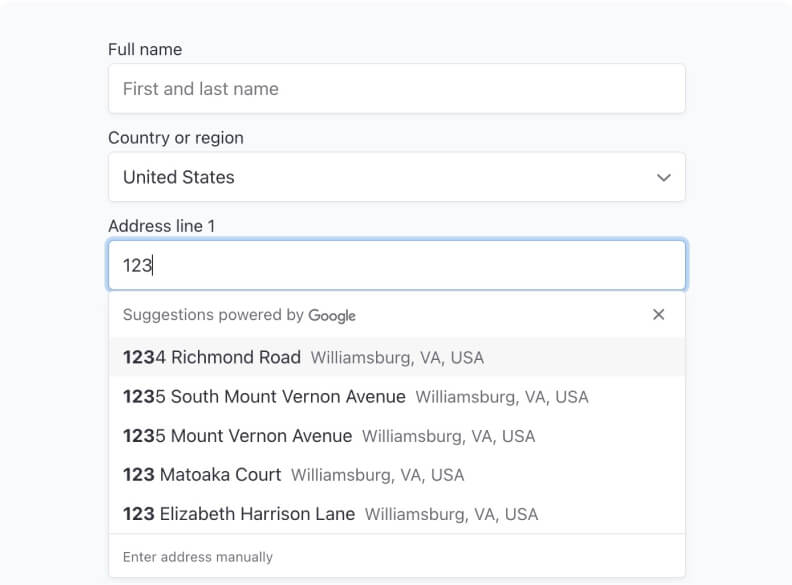
Acepte pagos de débito directo ACH de clientes con una cuenta bancaria en EE.UU. utilizando el sistema de pagos de la Cámara de Compensación Automatizada (ACH).
Skip 2–3 weeks of Stripe configuration. Accept subscriptions in 135+ currencies, handle failed payments automatically, and let members manage billing themselves. $168M processed. Zero webhook wrestling.
What you can accept
Accept recurring payments in 135+ currencies, support local payment methods, and test complex pricing — all from your dashboard. Stripe handles the money. Memberstack handles the logic, access, and UI.
Launch globally from day one. Your members pay in their local currency, you get paid in yours. No extra banking relationships or currency routing.
Example: A Webflow conference accepts registrations from 40+ countries with one checkout flow and automatic currency conversion.
When a payment fails, Memberstack automatically retries over 10 days using intelligent timing, sends dunning emails, and prompts members to update cards.
Recovery rate: 67% of failed payments vs. ~23% without automation.
Offer ACH, SEPA, iDEAL, Alipay, WeChat Pay, and more — all powered by Stripe. Conversion goes up when people can pay with the tools they already trust.
One EU course creator added SEPA and saw a 28% lift in EU conversions.
One-tap mobile payments with no extra integrations. Stripe handles the wallets, Memberstack pipes the results into your memberships and analytics.
Single-tap checkout dramatically reduces mobile checkout friction and cart abandonment.
Run 14-day free trials, first-month discounts, setup fees, and usage-based add-ons without touching code. Configure, launch, and iterate entirely in your dashboard.
One SaaS founder tested 3 pricing structures in a week — no deploys or PRs required.
Members can update cards, change plans, pause or cancel, and download invoices without emailing support. Your dashboard shows MRR, churn, and LTV in real time.
Teams typically see ~60% fewer “update my card” and “where’s my invoice?” tickets.
Setup
No webhooks, no keys pasted into scripts, no backend deploys. Just connect, create plans, and drop buttons onto your site.
Settings → Stripe Settings → Connect
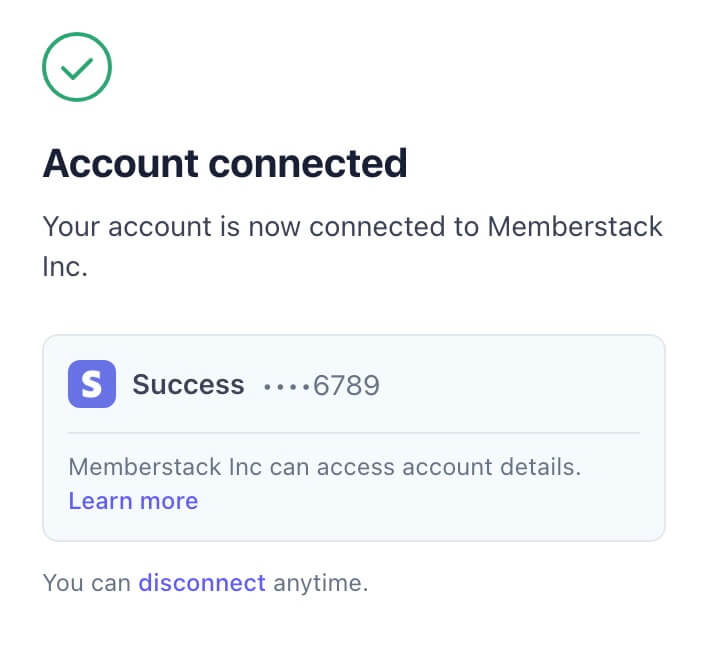
Click “Connect” and follow Stripe’s prompts. Your account is linked and ready to accept payments in minutes.
If you get stuck, Stripe's getting started guide walks through creating or connecting an account.
Add subscriptions, trials, coupons & add-ons
Define your plans in Memberstack — monthly, yearly, free trials, one-time fees, and usage-based add-ons — without touching the Stripe dashboard.
Already have products in Stripe? Import them with the Importing Stripe Products tool so they stay in sync.
Drop “Buy” buttons anywhere
Copy-paste data attributes or components into Webflow (or any site). Clicking a button opens a Stripe-powered checkout tied to your Memberstack plans.
Members are created, upgraded, or downgraded automatically. You just paste the buttons and publish.
DIY vs. Memberstack
A fair question. Here's the short version:
First-year cost (dev + maintenance)$19,500+
Plus: every failed payment and billing question becomes a support ticket your team has to answer manually.
First-year costMemberstack fees + Stripe fees
Teams choose Memberstack because it launches 3+ weeks faster, eliminates maintenance work, and cuts ~60% of billing support tickets.
Infrastructure
Memberstack runs the hard parts of Stripe in the background — webhooks, state machines, retries, dunning, proration, portals, and compliance — so you can focus on your product instead of billing edge cases.
15+ Stripe webhooks configured, monitored, and updated when Stripe ships new versions.
Active, trialing, past_due, canceled, paused — access updates in real time based on payment events.
Smart retry windows, card update prompts, dunning emails, and automatic access changes.
On-brand portal where members can change plans, update cards, pause, cancel, and download invoices.
Automatic proration and credits when members change plans mid-cycle — no math required.
Payment emails, MRR/churn/LTV metrics, and international tax tooling via Stripe.
Time saved
~200 hours of engineering work — about 5 weeks of dev time.
At $100/hour, that's ~$20,000 of upfront build cost, plus ~$3,000/year to keep up with Stripe's API changes, regressions, and support tickets.
Memberstack: 5 minutes of setup + transaction fees. Everything else lives in managed infrastructure you don't have to touch.
Comunidad
Setting up payments feels complex the first time. It doesn't have to be. Join thousands of founders, designers, and builders who ship Stripe-powered products with Memberstack.
Average response time: under 2 hours. Most common question answered: “How should I structure pricing for my business model?”
Join Slack community – Free#stripe-integration-help
3 new messages • 127 members
Sarah · Founder@design-mba
Connected Stripe on Friday, first paying members by Monday 🙌 Any tips on optimizing failed payment recovery?
Duncan · MemberstackFounder
Nice! Turn on smart retries + email nudges in your project settings. Most customers see ~67% of failed payments recovered automatically.
Alex · Course creator
Seconding this — that feature alone saved us ~$8K last quarter.
FAQ
Trust
Stripe Verified Partner
Official integration partner with deep coverage of Stripe's APIs.
$168M+ processed
Proven at scale across 50,000+ teams in 40+ countries.
SOC 2 Type 1 • PCI
Enterprise-grade security and payment compliance handled for you.
GDPR & CCPA ready
Built for modern privacy regulations from day one.
Start this weekend
Start accepting payments this weekend.
Join 50,000+ teams using Memberstack + Stripe to accept payments in 135+ currencies, process millions in subscriptions, and build businesses — all without configuring a single webhook or writing billing code.
100% free until you launch. No contracts, no setup fees, no hidden costs.